Knowledge base
1000 FAQs, 500 tutorials and instructional videos. Here, there are only solutions!
This guide is for you if you wish to make a SEPA credit transfer in euros to settle a payment to Infomaniak.
Bank details for any € transfer
Here are the Infomaniak IBAN bank details to use for your SEPA credit transfers in euros to Infomaniak:
Account holder: Infomaniak Network SA
IBAN: BE71 9057 8706 4269
BIC: TRWIBEB1XXX
Bank: Wise
Transfers sent to any other Infomaniak IBAN will not be processed and will be automatically returned to the issuing bank.
For your payment and accounting tools (online banking, standing orders, ERP, etc.) use only the information above to avoid any payment delays or rejections.
Is there anything simpler than a bank transfer?
Yes. To ensure optimal continuity of your services, it is recommended to register an immediate debit payment method, such as a bank card. This payment method allows, among other things:
- the automatic renewal of your services
- the reduction of risks associated with manual transfers
Change currency
The EUR / CHF currency corresponds to the country registered for your Organization. Refer to this other guide to modify the establishment information and obtain billing in another currency.
Verify that an invoice is legitimate and comes from Infomaniak
To be 100% sure that a payment reminder is legitimate and to know which service it corresponds to:
- Click here to log in to the Infomaniak Manager.
- Check at the top left that you are in the correct Organization where your products are located.
- Go to Billing > To pay.
- By choosing payment by IBAN, the correct bank details are automatically displayed.
The teams remain at your disposal. Contact Infomaniak support in case of doubt or question.
Link to this FAQ:
Has this FAQ been helpful?
This guide explains how to validate two-factor authentication, or two-step verification, through an Infomaniak app already installed on your devices.
Preamble
- Refer to this other guide regarding the activation of the 2FA feature.
Receive a notification when a login authorization request is made via Infomaniak apps
From the moment you activate 2FA by configuring one of the proposed methods, it is automatically the Infomaniak apps (Mail, Euria, kDrive...) that allow you to validate the connection when connecting from another device:
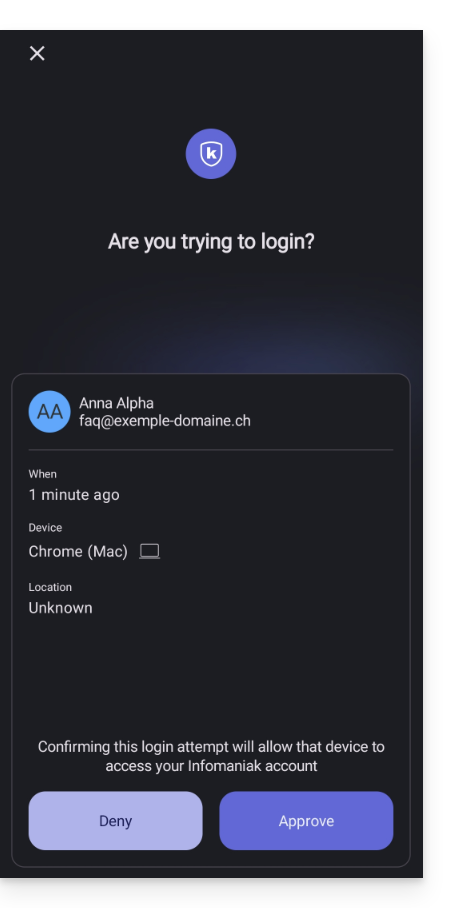
- A modal opens to ask you to validate the connection if it indeed comes from you:
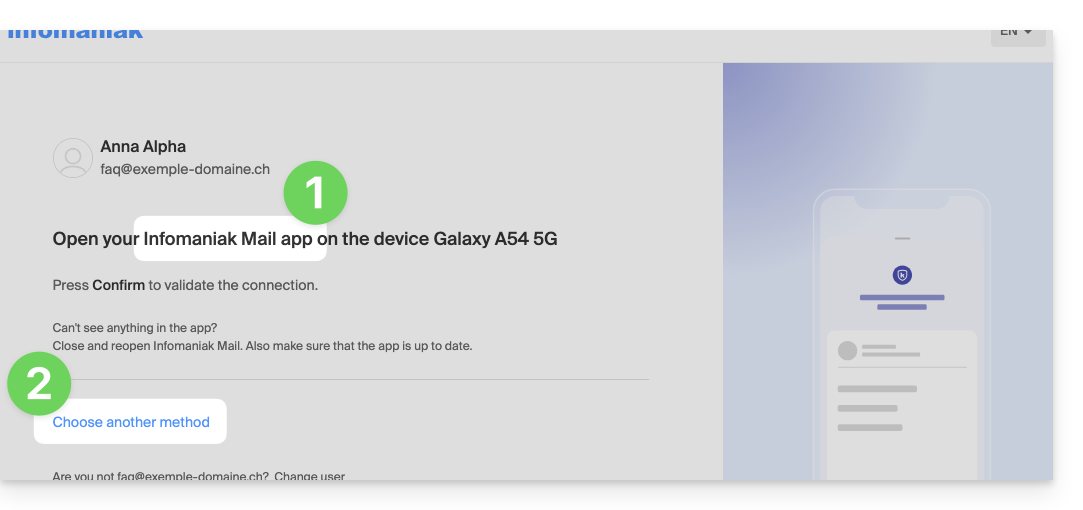
- You can of course request on a case-by-case basis to receive the validation request on one of the other registered methods:
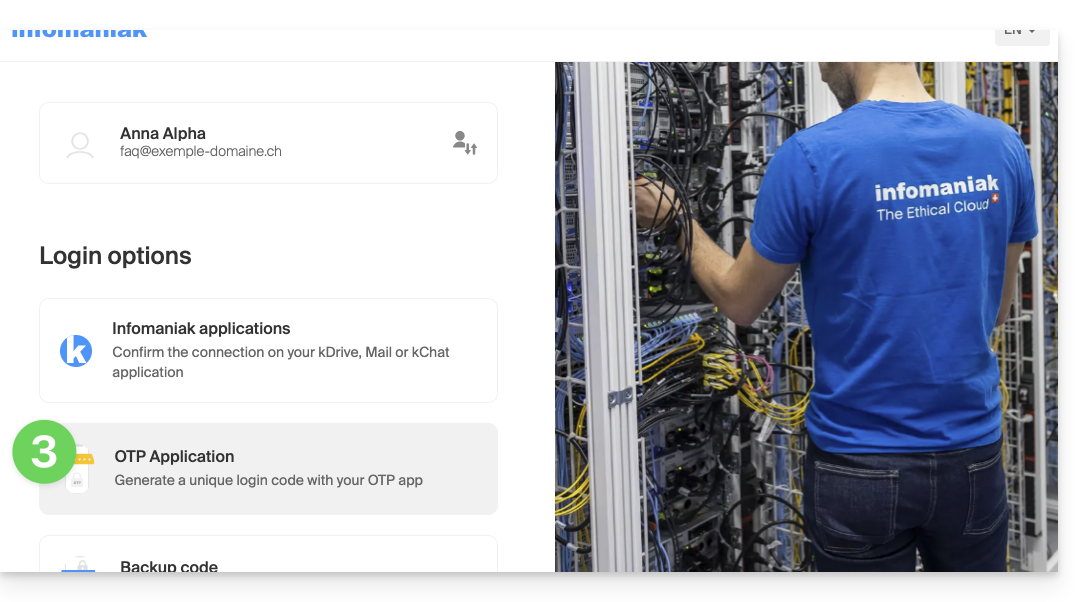
- In this case, you access the different 2FA methods already registered on your account:
If you have activated multiple validation methods (SMS, OTP application...), you can define the one that will be proposed by default for each connection. Note, however, that the priority method will remain the one for validation in the Infomaniak app installed (Mail, Euria, kDrive...) on your devices:
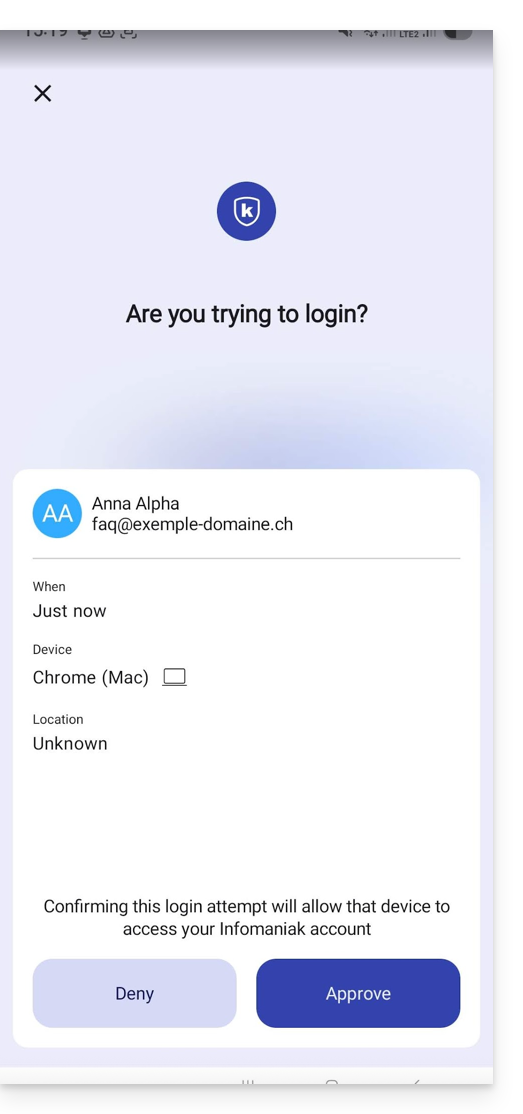
- The notification appears full screen when you open the specified application, and a button allows you to validate the connection (if it is indeed you):
- In the Android settings of the Infomaniak apps (Mail for example), you can choose to activate only the login authentication request notification:
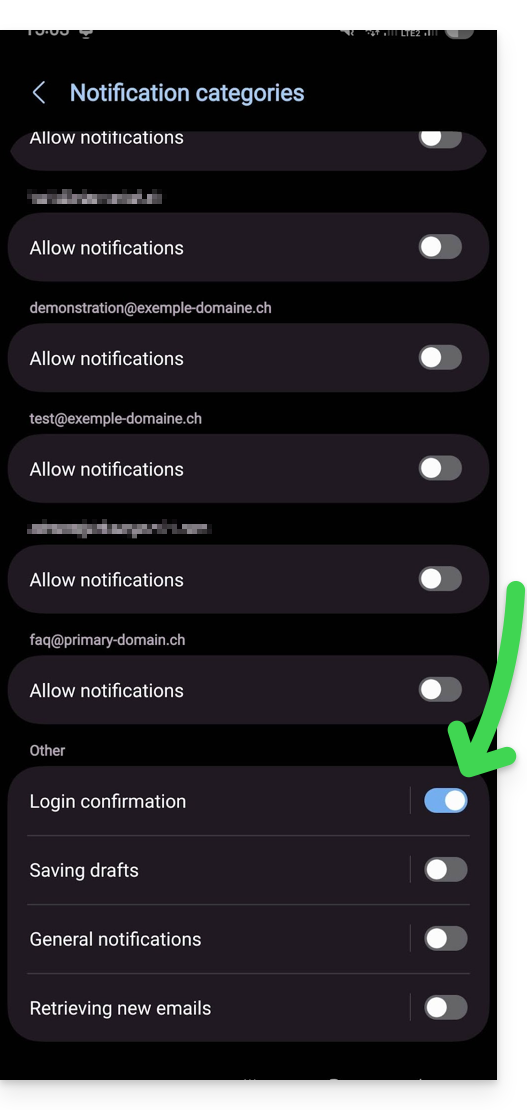
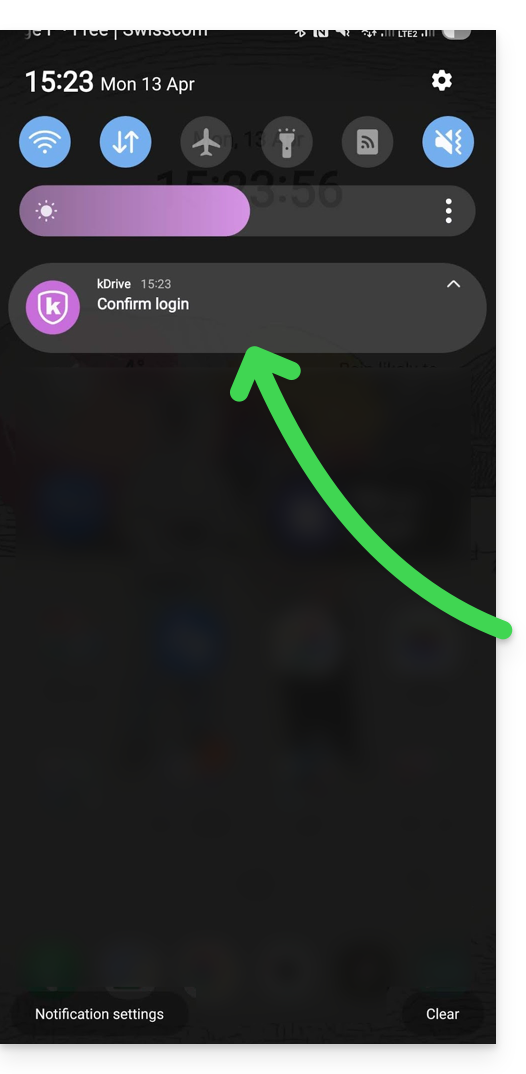
- Thus, an Android notification alerts you to the ongoing authentication request, and you can open the app directly from the notification:
Link to this FAQ:
Has this FAQ been helpful?