Knowledge base
1000 FAQs, 500 tutorials and instructional videos. Here, there are only solutions!
Display and share kDrive logs
Update 05/05/2026
This guide explains how to retrieve and transmit debugging information (logs, reports, and error logs) from the kDrive application in case of a problem on macOS, Windows, or Linux.
✘ UNAVAILABLE with
my kSuite / my kSuite+ (ik.me, etik.com, ikmail.com)
Preamble
- For various reasons (a file type or a name length exceeding commonly accepted limits, etc.), it may happen that the synchronization by the kDrive app no longer progresses.
- Logs allow Infomaniak Support to better track any issues that may arise between your device and the kDrive application.
- The extended logs “record” kDrive activity from the moment you activate them; they are the ones that allow Infomaniak to trace the problem best.
- Refer to these other guides to try to resolve the issue without sending the logs: conflicts and known issues.
Save and share the logs with Support
When requested by Infomaniak Support:
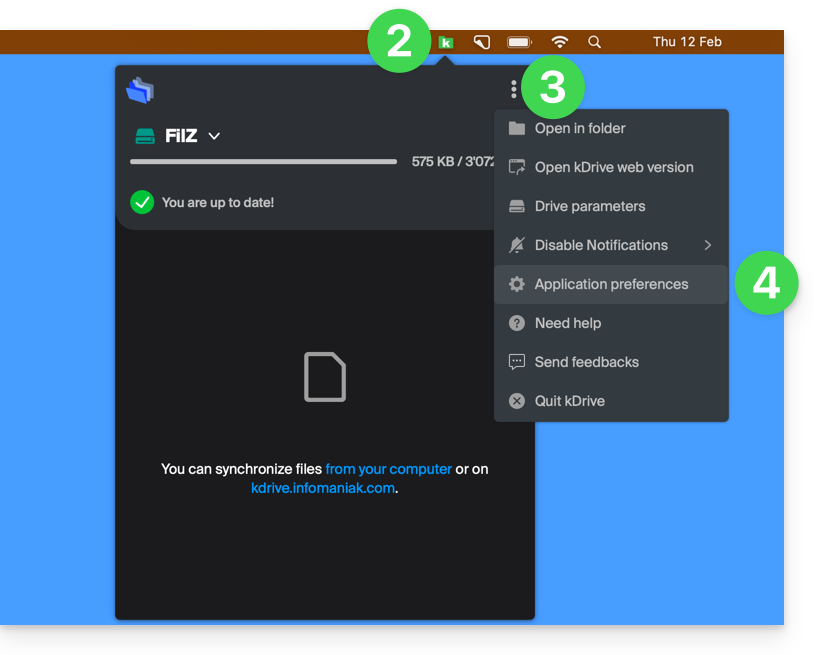
- Open the kDrive application on your computer, the app icon must be visible in the notification area.
- Perform a left-click on the app icon in the notification area of your computer (top right on macOS, bottom right on Windows, and a double left-click in the taskbar on Linux).
- Click on the action menu ⋮ to the right of the application window.
- Select Application Preferences:
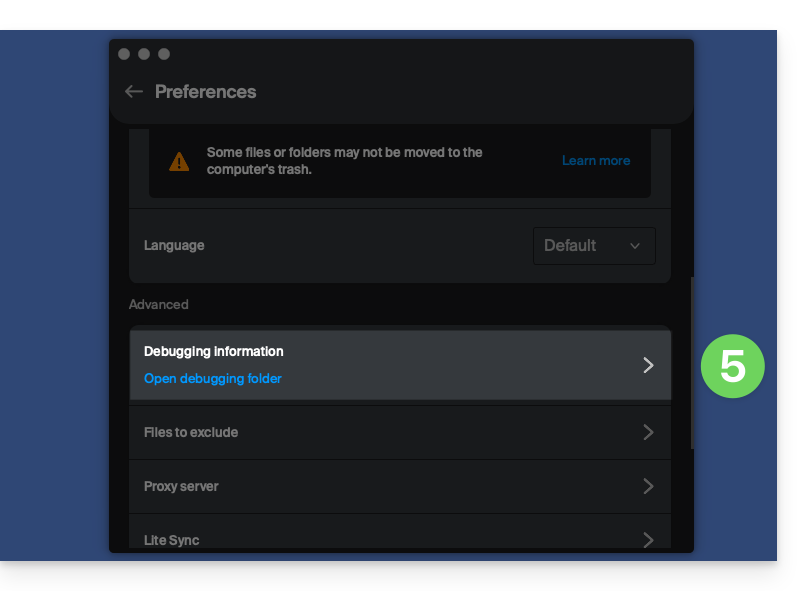
- Scroll down to the Advanced section and click on the arrow to the right of debugging information:
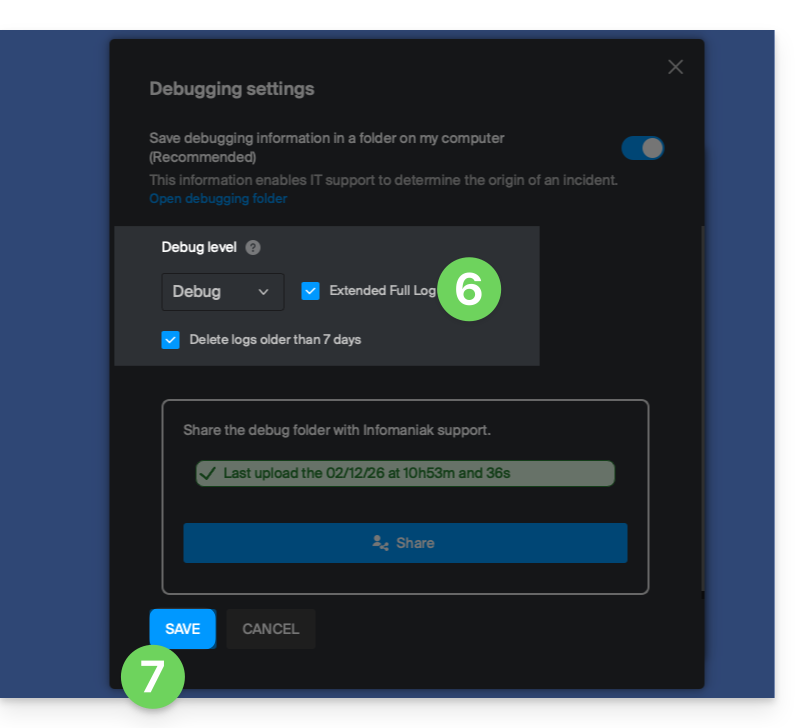
- Check the box for extended logs as shown in the image below.
- Click the SAVE button and let the application run for at least 10 minutes:
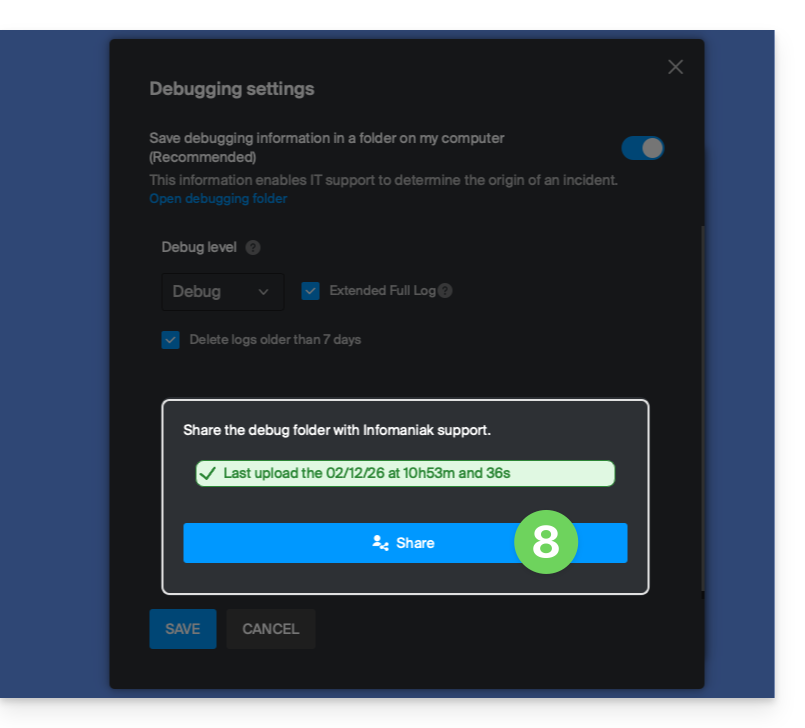
- Return to the same place 10 minutes later (points 1-6 above) and then click the blue button to share your debugging information with Infomaniak Support:
- Inform Infomaniak Support of this action within the ongoing exchange.
Alternative method
If you encounter a problem with the method above:
- Click on the blue link on the left to Open the debug folder.
- From this folder you will have access to all the bug reports of the kDrive application on your device:
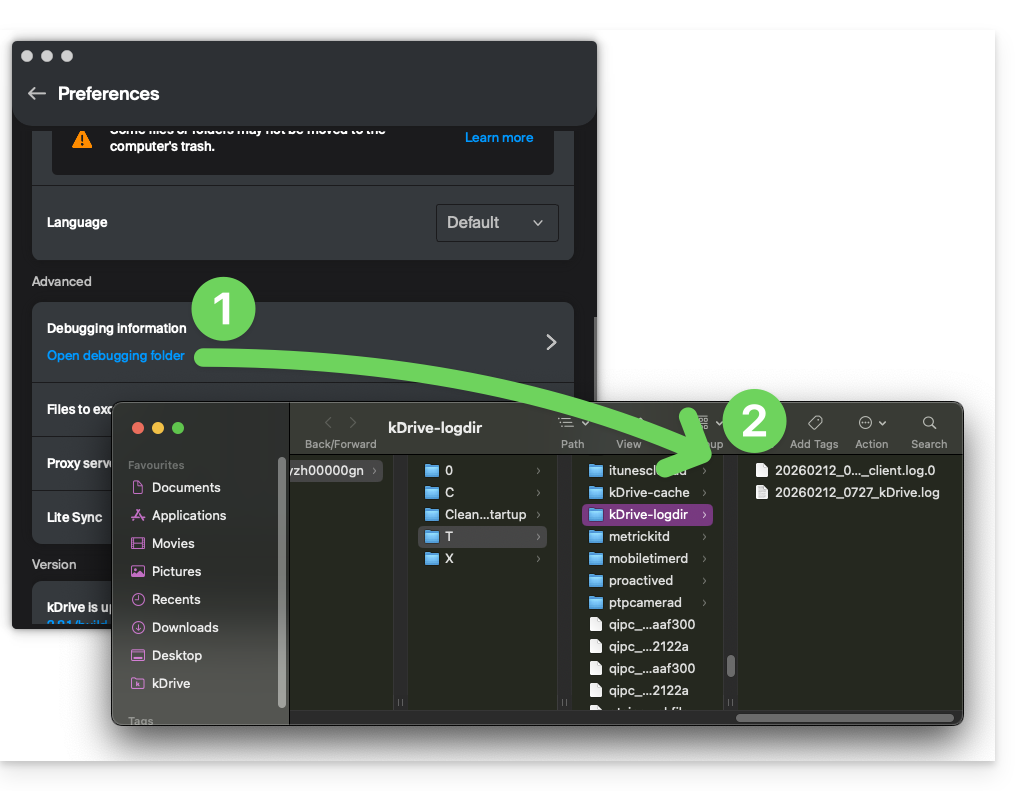
If the application does not open, you can also access the logs through these paths:
- macOS:
/private/var/folders/h_/5c_k9rr564q0kzqv8rz8_dn80000gn/T/kDrive-logdir(note"h_/5c_k9rr564q0kzqv8rz8_dn80000gn"will be different on your computer)
- Windows (copy-paste into the file explorer):
C:\Users\%USERNAME%\AppData\Local\Temp\kDrive-logdir(if necessary, activate hidden files and folders in Windows Explorer)
- Linux:
/tmp/kDrive-logdir/
To manually send the collected files:
- If the files are not large, send them directly to Infomaniak Support within the ongoing exchange.
- If the files are large, compress them in .zip format and send them to Infomaniak Support within the ongoing exchange.
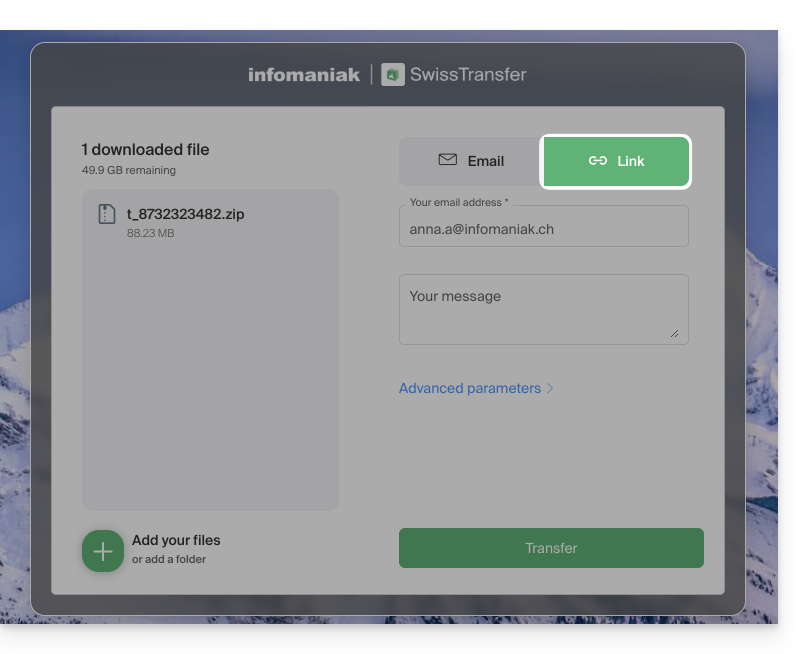
- If they are still too large to be sent by email, send the .zip archive to swisstransfer.com to obtain a share link that you will need to communicate to Infomaniak Support within the ongoing exchange:
Link to this FAQ:
Has this FAQ been helpful?