Knowledge base
1000 FAQs, 500 tutorials and instructional videos. Here, there are only solutions!
Transfer a Shared Web Hosting to a Cloud Server
Update 04/28/2026
This guide explains how to move a shared web hosting to a Cloud Server while retrieving all its data, websites, databases, etc.
Preamble
- If you already have a Cloud Server, go directly to step 2 of this guide.
- To move web hosting from one Cloud Server to another Cloud Server, refer to this other guide.
- To move web hosting from a Cloud Server to shared web hosting, refer to this other guide; note that this is a manual operation you will need to perform.
- Note:
- Database names and database user names are preserved.
- FTP accounts are preserved with the same names, but the host server changes to an address of type
xxxx.ftp.infomaniak.com. - Site IPs will change except for dedicated IPs.
1. Order a Cloud Server
To do this:
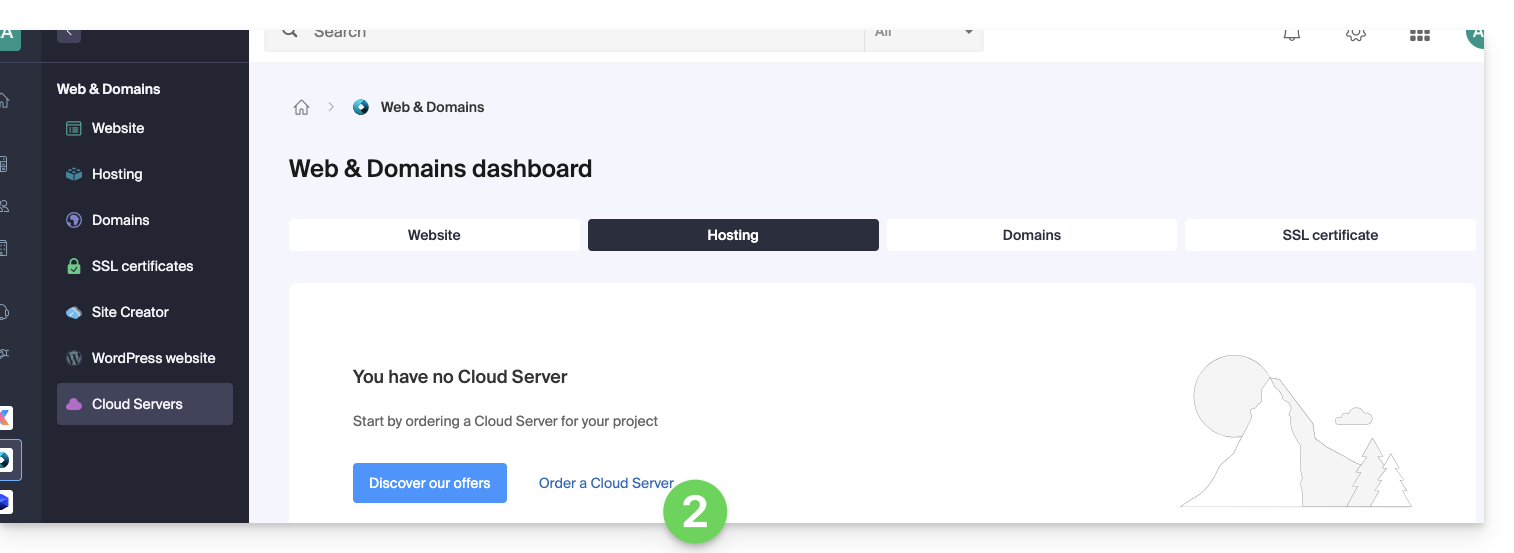
- Click here to access Cloud Server management on the Infomaniak Manager (need help?).
- Click on Order, choose a managed Cloud Server and follow the wizard to complete the order:
2. Migrate the hosting to the Cloud Server
Once the Cloud Server is in service:
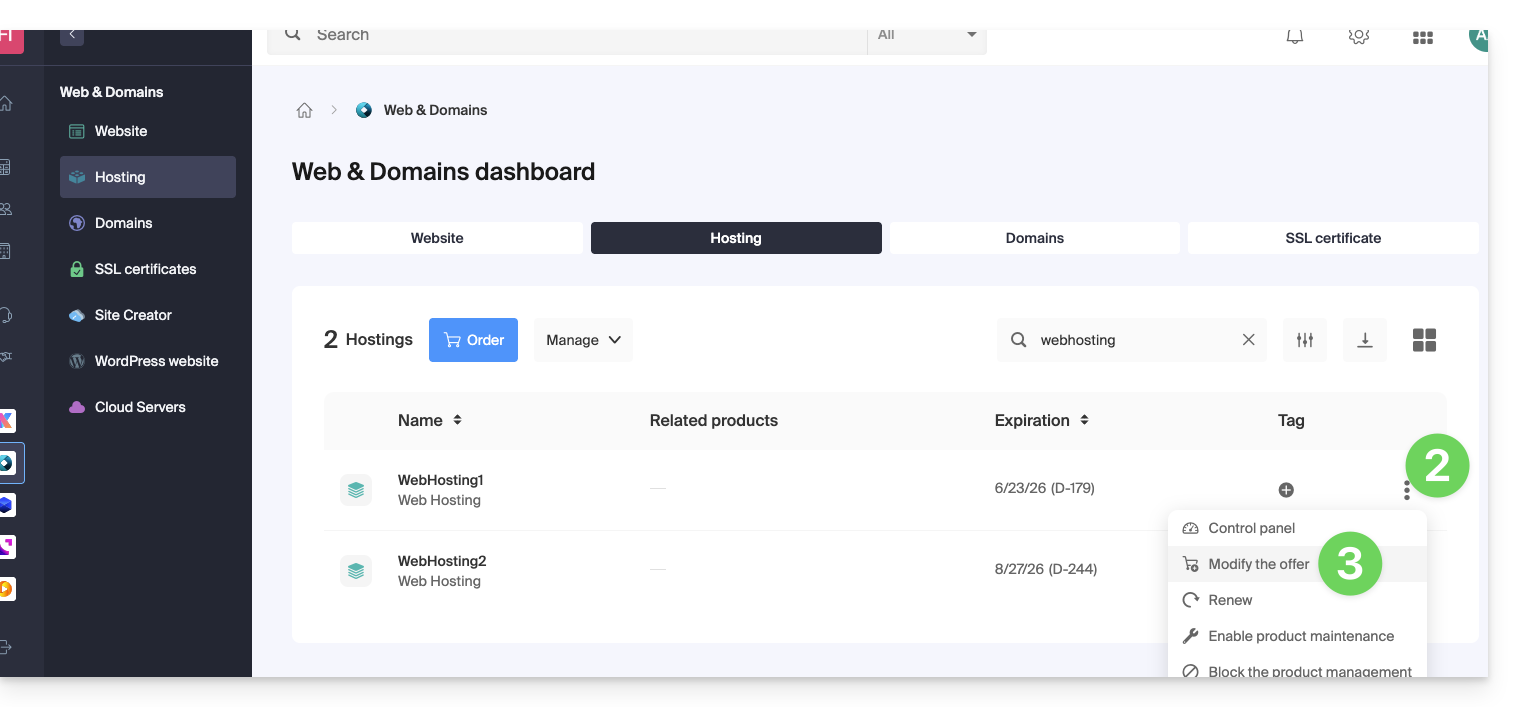
- Click here to access your product management on the Infomaniak Manager (need help?).
- Click on the action menu ⋮ located to the right of the item concerned.
- Click on Modify the offer:
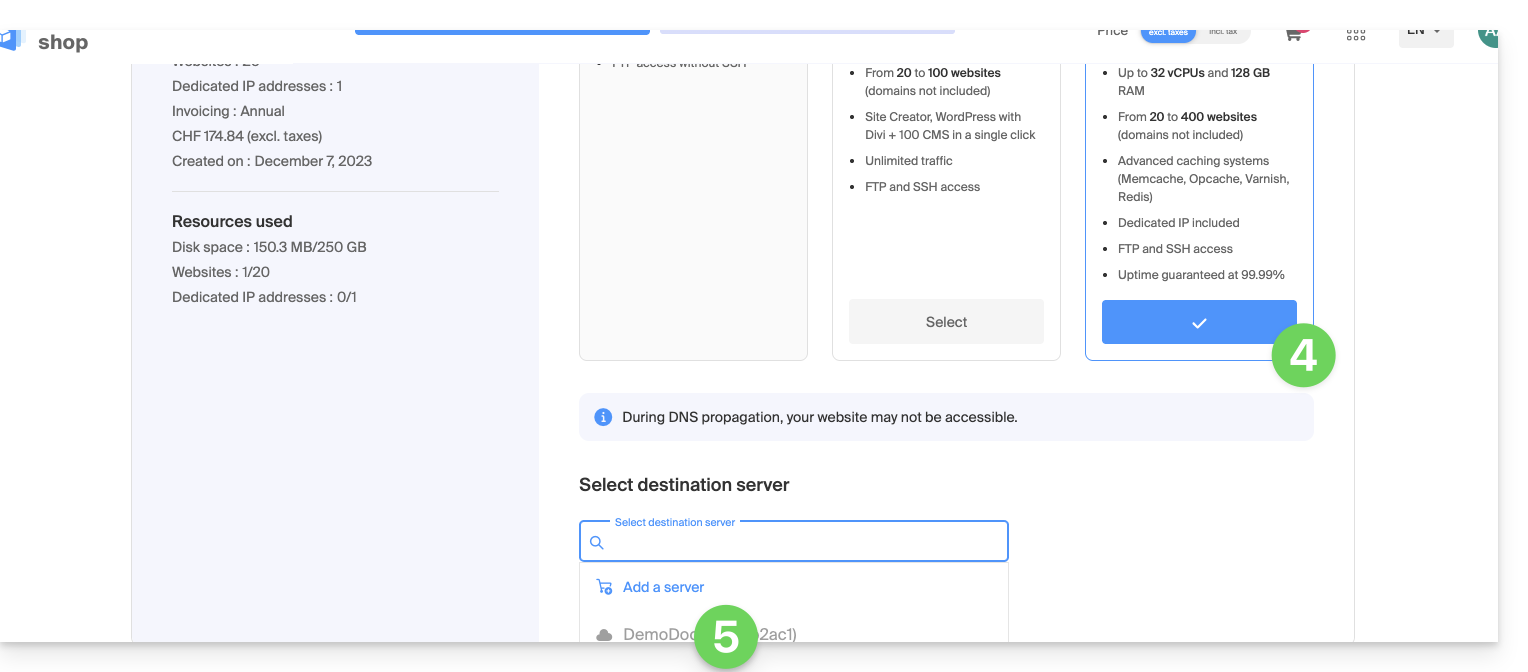
- Select the free transfer offer.
- Select the Cloud Server to which to migrate your hosting:
- Click the Next button at the bottom of the page and complete the procedure entirely.
- Wait for the hosting migration to complete; service interruption will be experienced during the process.
Link to this FAQ:
Has this FAQ been helpful?